The Booking Process
For Parents / Guardians:
How to Create a Booking for a Student
By selecting the Electronic Booking Link from our email, Guardians are empowered to book, change or cancel appointments for Students online. Data is stored in accordance with the VaxiCare Medical Data Privacy & Security Policy.
Accuracy is important in order to receive Clinic updates and Proof of Vaccination.
Please note, due to Security and Australian Medical Data Regulation, our booking system is not available overseas, please contact VaxiCare to assist you if you have issues booking or changing appointments.
Health Data Management Consent Policy
Select the Accept and Continue Button after reading the Policy
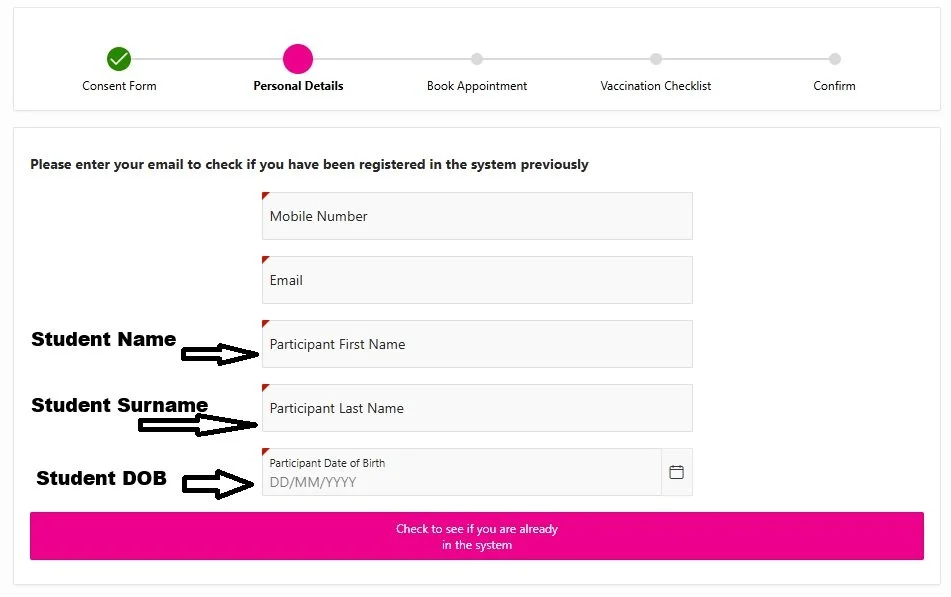
Check if Student details are already recorded in the System
Guardians can use their own Mobile and Email but the Student’s Name, Surname and DOB (Date of Birth) is required. If dependants have the same DOB, eg Twins, contact VaxiCare to assist with the booking. The booking system sends booking confirmations and reminders by Email and SMS.
Click the pink Check to see if you are already in the system button at the bottom of the screen. If previously vaccinated, you will receive a security authentication code to enter into the system.
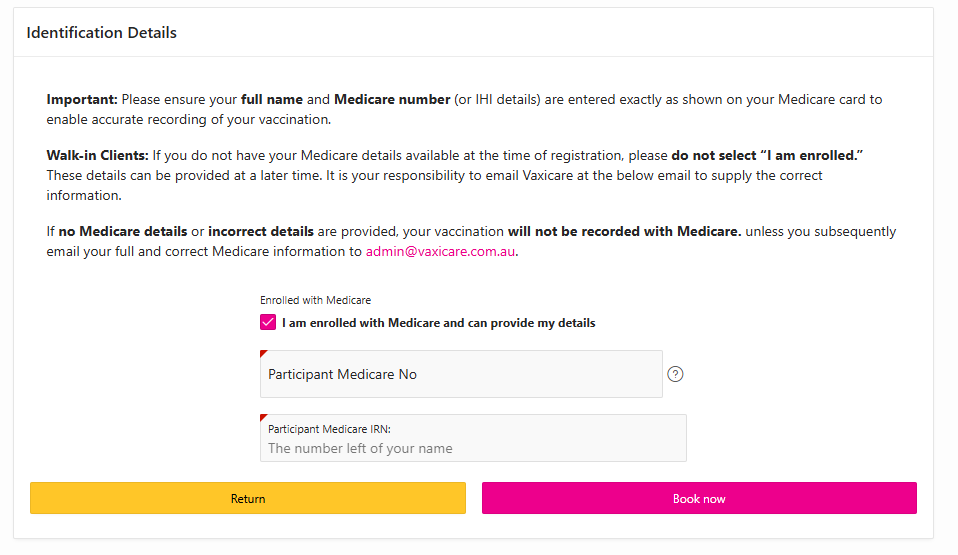
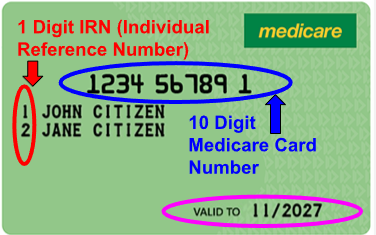
Identification Details for Medicare
If on Medicare, supply the Card Details and select the pink Book Now Button
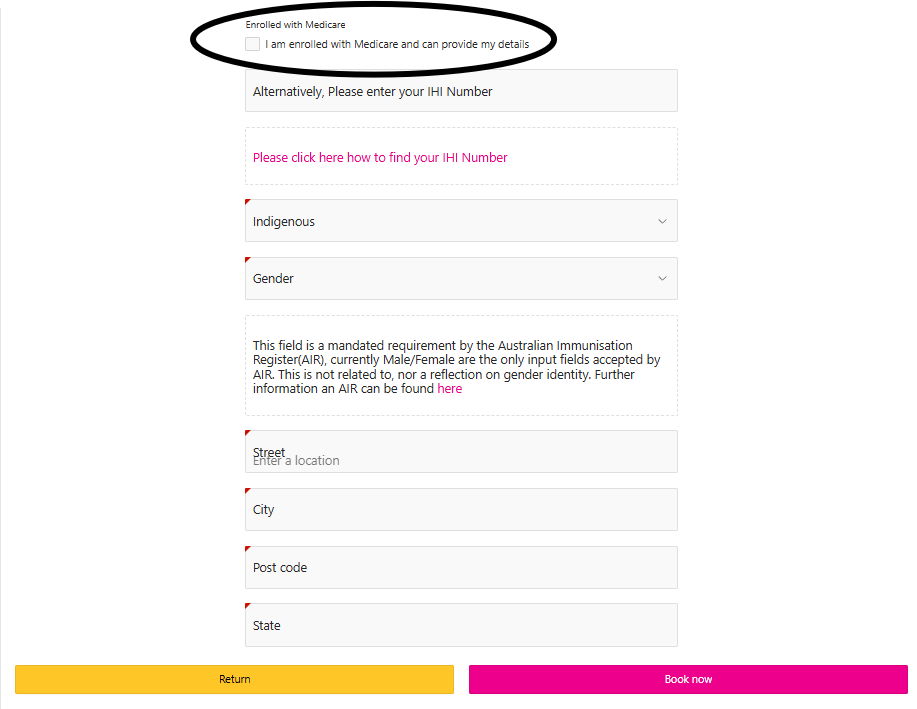
If not on Medicare
Untick the Enrolled with Medicare Box, a new screen requesting details will appear. Complete the details requested, ignore the request for an IHI Number. Private Health Care Details are not accepted. For Boarders, the School’s street address can be used. Select the Book Now Button
Book an Appointment
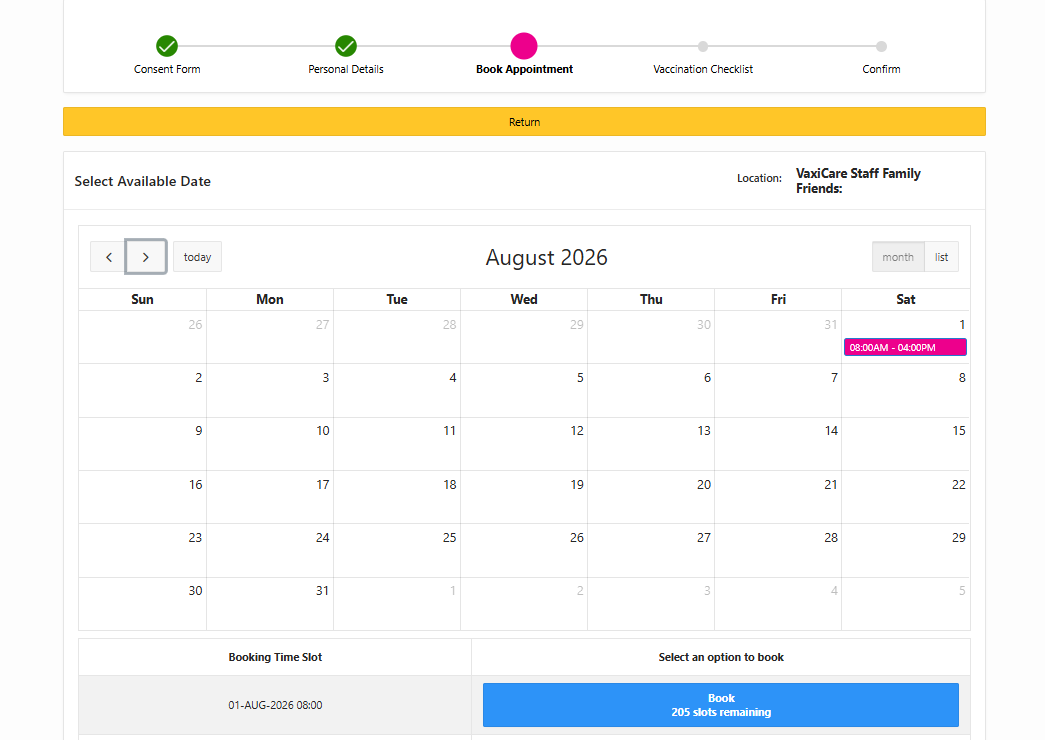
Select the Blue Button at the bottom to book an appointment Time for the Date shown on the Calendar, then Confirm the Booking.
Complete the Checklist / Consent Form
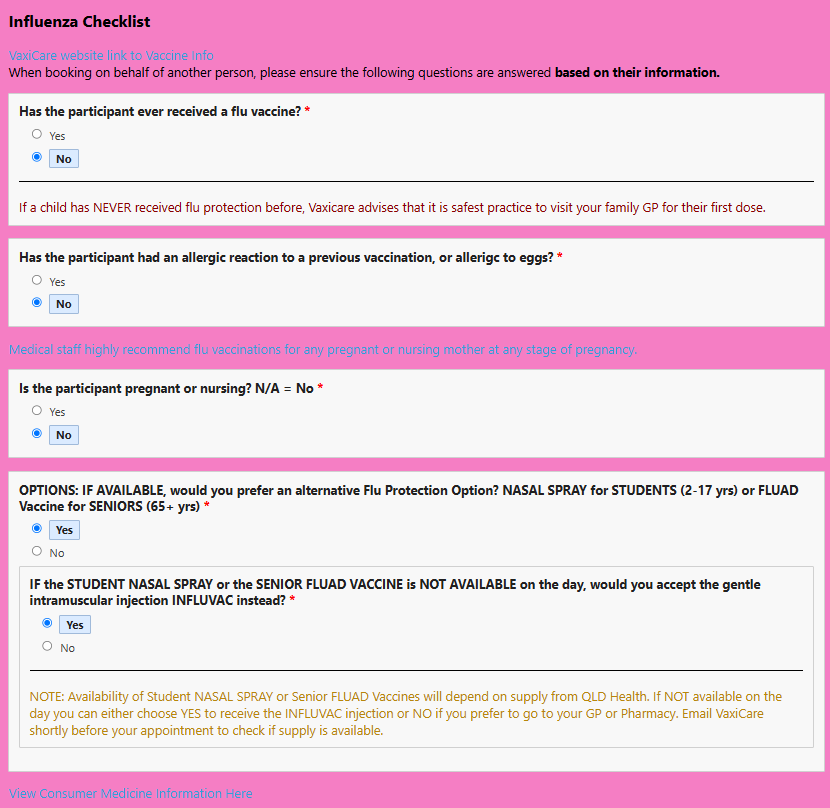
Complete the Checklist on behalf of the Student, there are links that supply detailed medical information.
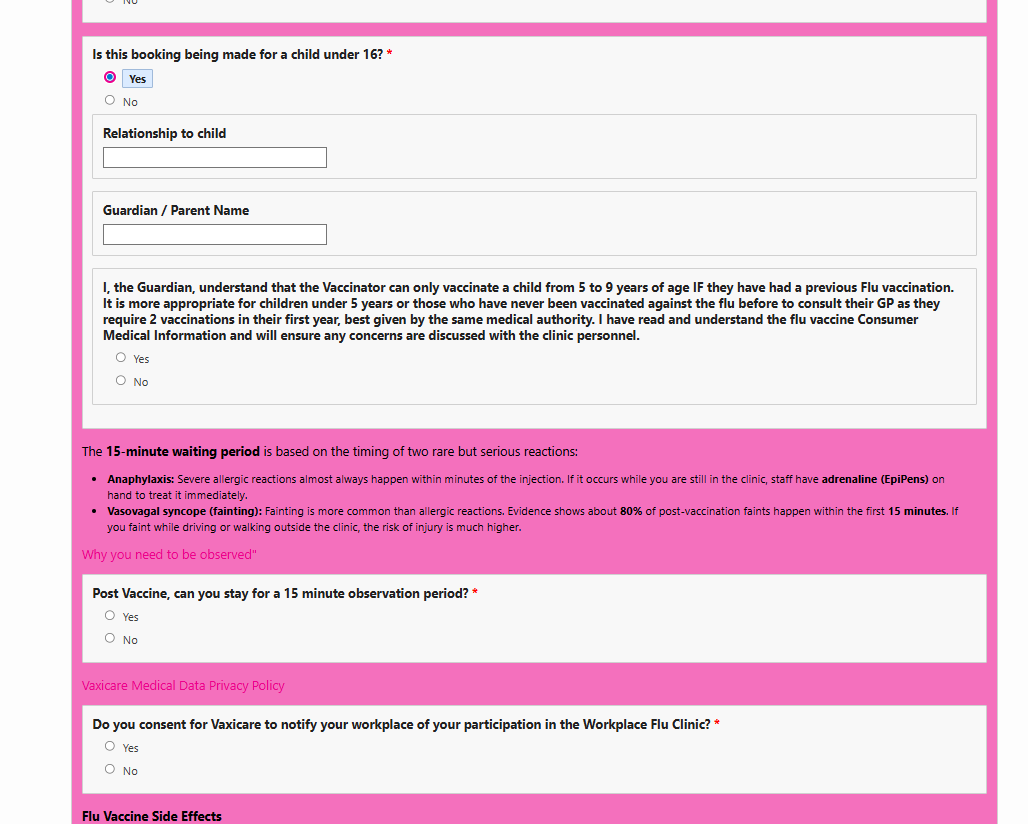
Grant Permission for Vaccination as the Guardian
Finalise the Checklist
Select the pink Save button at the bottom to complete the Checklist.
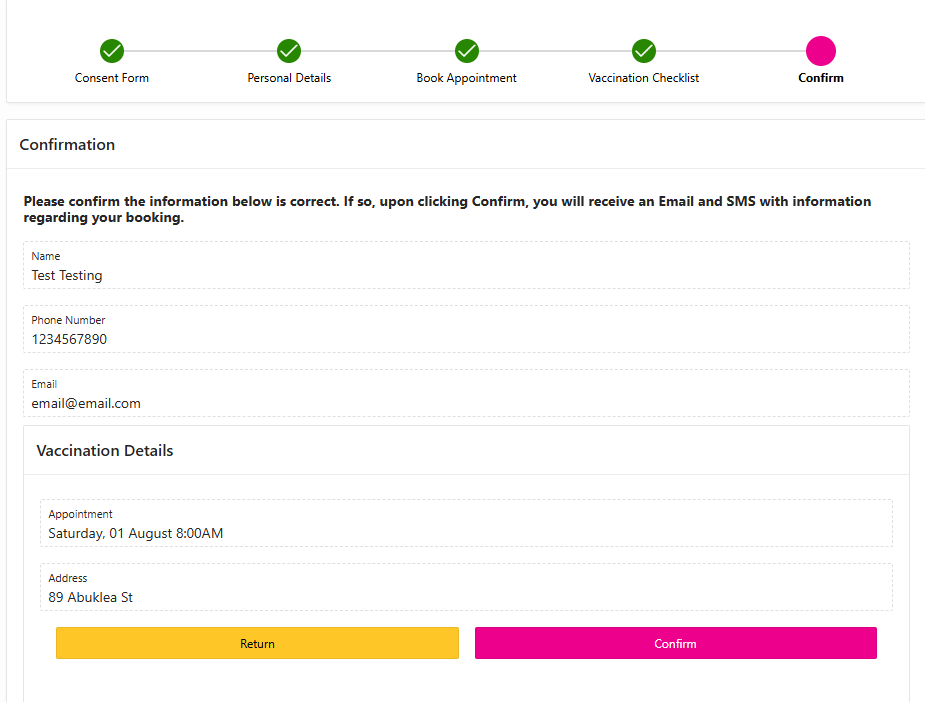
Confirm the Booking
Select the pink Confirm button at the bottom. An email and SMS will be sent to you as confirmation.