The Booking Process
Change or Cancel an Appointment
Please Email VaxiCare to assist with any booking issues
Log Back into the Booking system
3 Ways to log back in:
Select the Option Login here on Your Booking Confirmation Email
Select the original Booking Link sent to you
Select this Link https://vaxicarebookings.ezyvax.net/ and enter your 10 Digit Booking Code sent in the original email

Booking Confirmation Email
Health Data Management Consent Policy
Select the Accept and Continue Button after reading the Policy
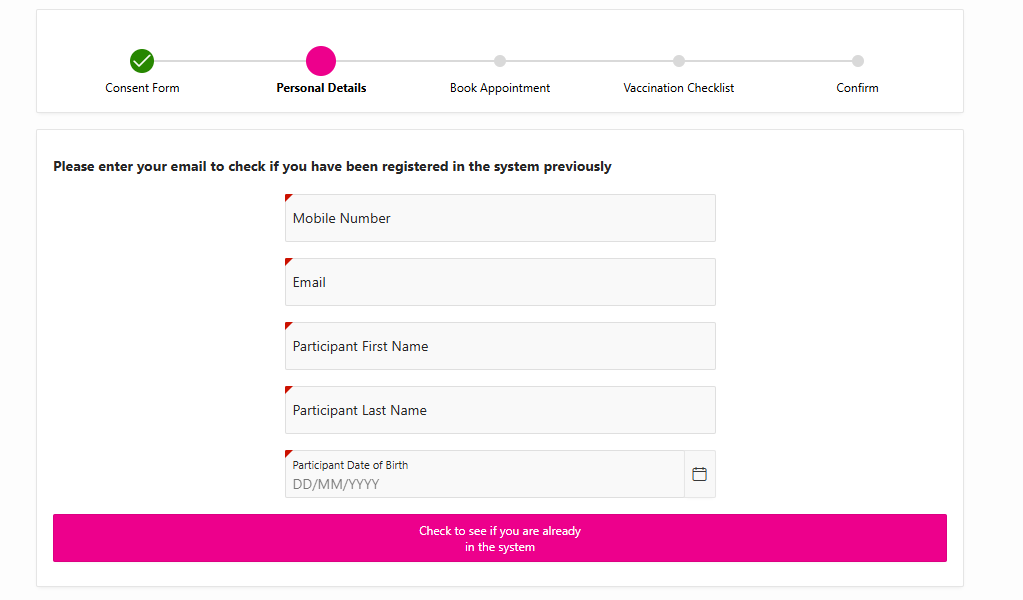
Enter EXACT details to locate your record
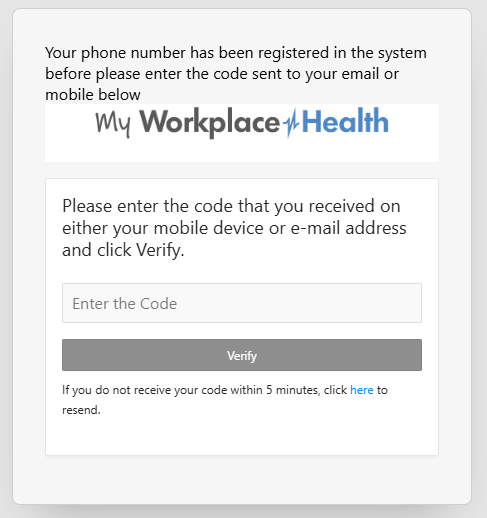
Due to strict Australian Data Privacy Regulation, you need to specify the exact Mobile, Email, First & Last Name, DOB you used to book in previously. Click the pink Check to see if you are already in the system button at the bottom of the screen. If successful, you will receive a security authentication code by phone and email to enter into the system. Please email Vaxicare to assist if you can’t remember your exact details.
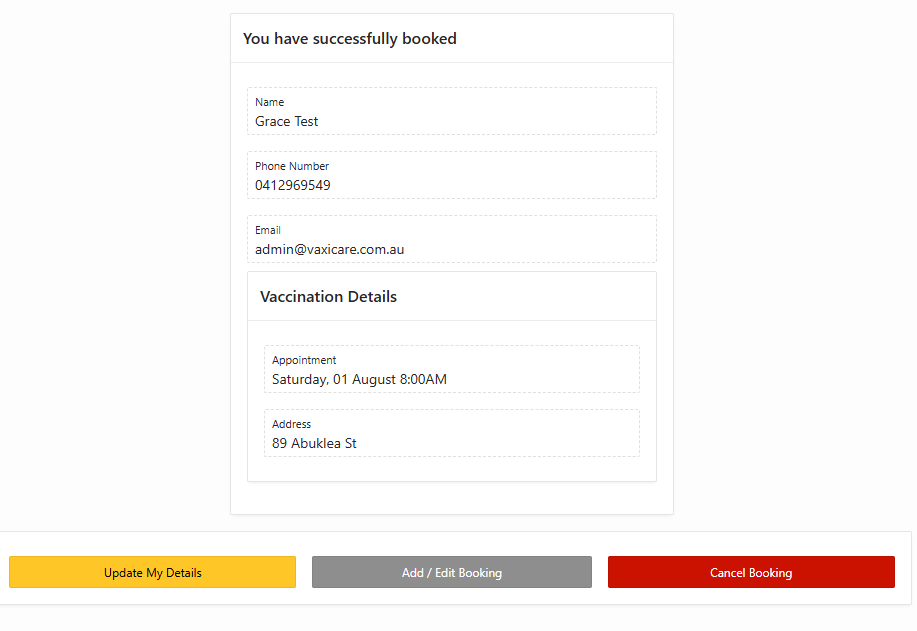
Update, Edit or Cancel your Booking
Select the appropriate Button at the bottom of the screen. You will receive email and SMS confirmation if you cancel your booking.